User Guide
How to use Matterhorn
A hands-on, step-by-step manual for building your first Web3 app with Matterhorn — written for total beginners. If you've never touched a blockchain, smart contract, or wallet before, you're in the right place.
Already familiar with Web3? Skim the quick start and jump to the section you need.
1. Quick start — your first dApp in 10 minutes
Here's the fastest path from zero to a deployed app. Each step is unpacked in detail later in this guide.
- 1
Install Matterhorn
Download the desktop app from your beta invite. It looks and feels like a familiar code editor — because it is one.
- 2
Sign in and create your wallet
On first launch, Matterhorn creates a single self-custodial wallet that works across every supported chain. Save your recovery phrase somewhere safe.
- 3
Describe your idea
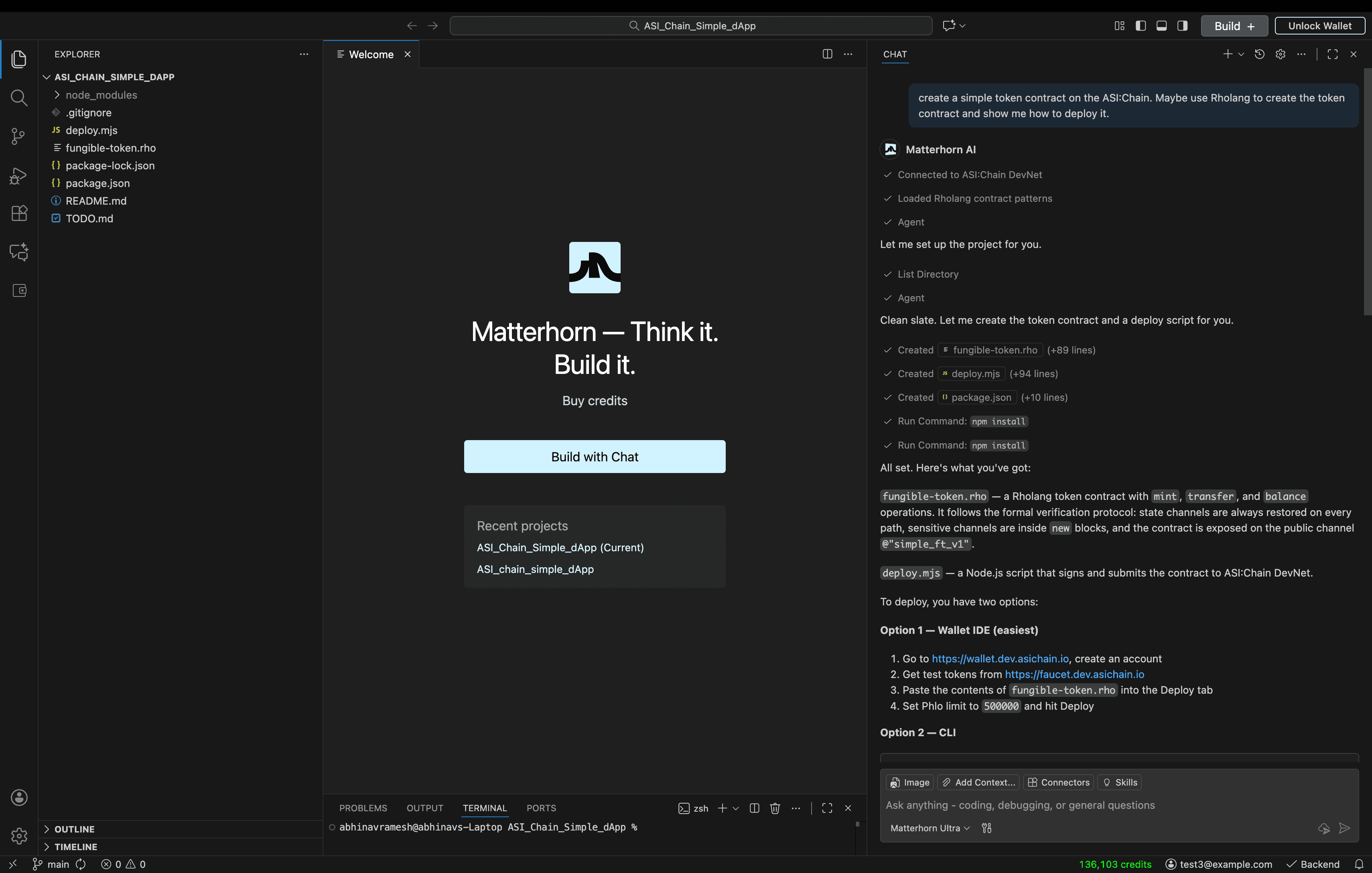
Open the agent panel and type, in plain English: "I want to build a token that rewards users for completing tasks." The agent will ask follow-up questions.
- 4
Confirm the stack
Matterhorn proposes a chain, a language, a privacy approach, and an audit plan. You either accept the recommendation or override it.
- 5
Audit and deploy
Run a Vibe Audit, then click Deploy. Your first 10,000 transactions are free. Your app is now live on a real blockchain.
2. Setting up
Matterhorn is a desktop application — a fork of the editor most developers already use. If you've seen any modern code editor, everything here will feel familiar.
Installing the IDE
- Download the installer from your beta access email.
- Open the installer and follow the prompts (macOS, Windows, and Linux are all supported).
- Launch Matterhorn. The first-run wizard handles everything else.
Creating your wallet
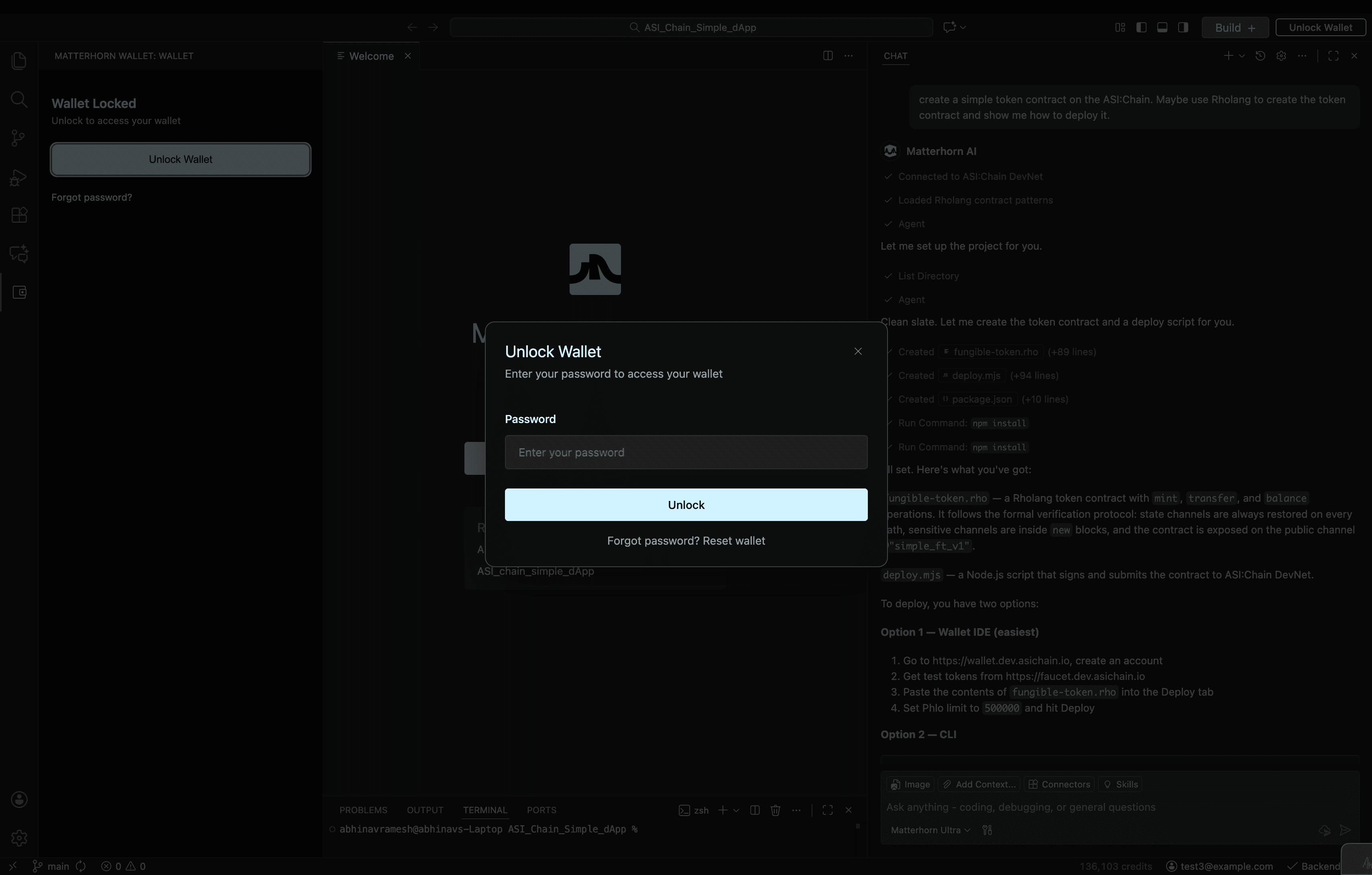
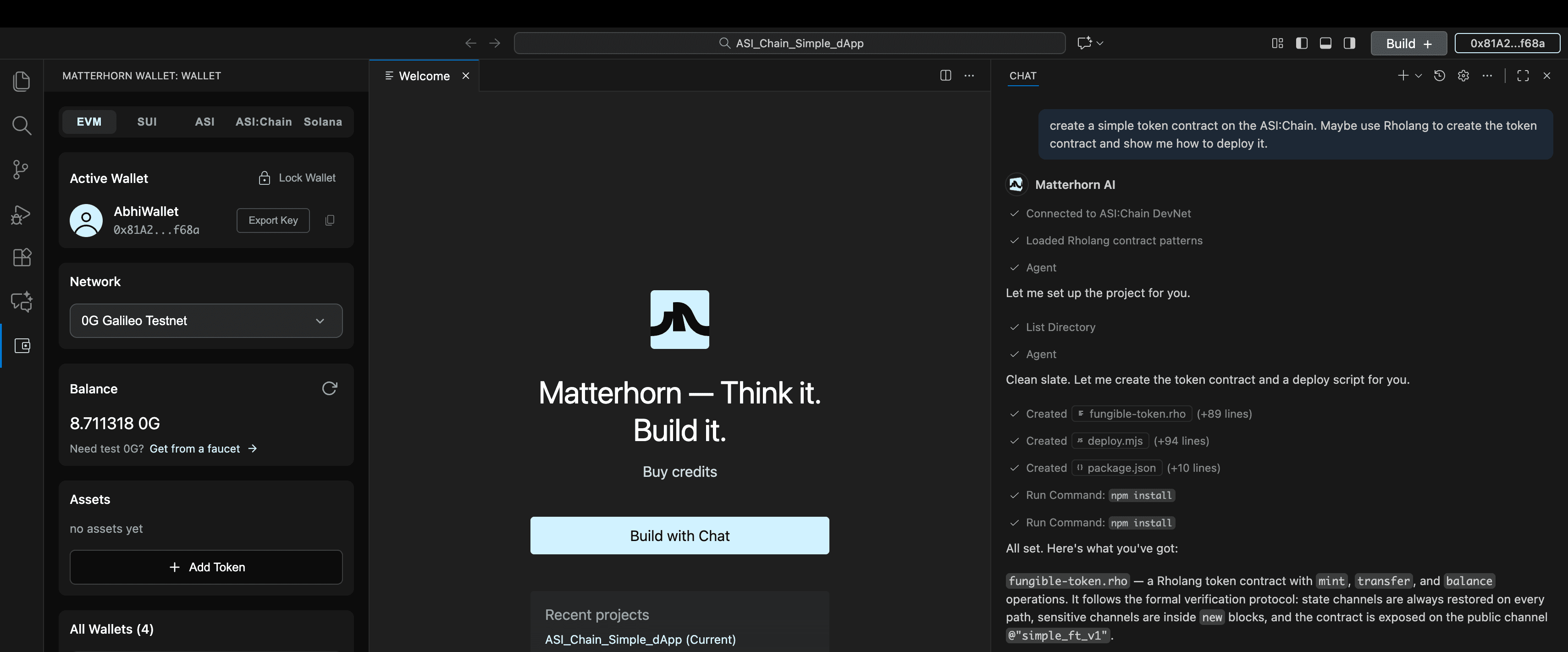
On first launch, Matterhorn creates a single self-custodial wallet that works across every chain we support — EVM chains (Ethereum, Polygon, Base, Arbitrum, and more), Solana, SEI, Move-based chains, ASI:Chain, and Cosmos chains. One wallet. One recovery phrase. Every chain.
Funding your wallet (optional for now)
For your first build, you don't need any funds — your first 10,000 transactions are sponsored. When you're ready to fund the wallet yourself, you can deposit from any exchange or another wallet using the address shown in the Wallet panel.
3. Talking to the agent
The agent panel is where most of the work happens. You describe what you want, the agent plans, asks clarifying questions, writes code, and runs it. The better your description, the better the result.
What a good prompt looks like
Vague
“Build me an NFT thing.”
Useful
“Build a membership pass that lets holders vote on which charity my company donates to each month. Should be cheap to mint, and I'd like the votes to be private.”
Three things to include in any prompt:
- What it does — the real-world behaviour you want.
- Who uses it — your users, your team, automated agents, the public.
- Constraints that matter — cost, privacy, speed, regulations, target users' technical level.
4. Picking your stack
Most Web3 tools assume you already know which chain you want, which language to write in, and how to handle privacy. Matterhorn flips that around: the agent suggests a stack based on what you described, and you approve it.
What the agent decides for you
Chain
Across 20+ supported chains, the agent picks based on cost, speed, audience, and ecosystem fit. You can override or deploy to multiple chains.
Smart contract language
Solidity, Rust, Move, or formal-verification languages — chosen based on the chain and the safety guarantees your app needs.
Privacy approach
Zero-knowledge proofs, fully homomorphic encryption, or simple on-chain logic — selected based on what your app actually needs to keep private.
Audit plan
Automated Vibe Audit by default; the agent will recommend bringing in human auditors when the contract handles meaningful funds or sensitive logic.
Multi-chain by default
If your idea fits more than one ecosystem, the agent can translate the same logic into multiple languages — for example, the same token in Solidity, Rust, and Move — and deploy it everywhere at once. You don't maintain three codebases; the agent does.
5. Smart contracts & Vibe Audit
Smart contracts are unforgiving — once they're deployed, bugs can cost real money. Matterhorn pairs every contract with a layered audit before it ever goes live.
How a contract gets built
- 1
Generate
The agent writes the contract from your description, using patterns specifically tuned for blockchain code.
- 2
Self-review
A specialised review pass scans for vulnerabilities, gas inefficiencies, and concurrency issues — particularly important for formal-verification languages.
- 3
Vibe Audit (AI)
Our security-focused model checks the contract against a live database of known exploits and gives every issue a severity score and a suggested fix.
- 4
Vibe Audit (human in the loop)
For higher-stakes contracts, request a quote from one of our partner audit firms directly inside the IDE. They get full context; you get a turnaround time and price up front.
6. Deploying with DePIN
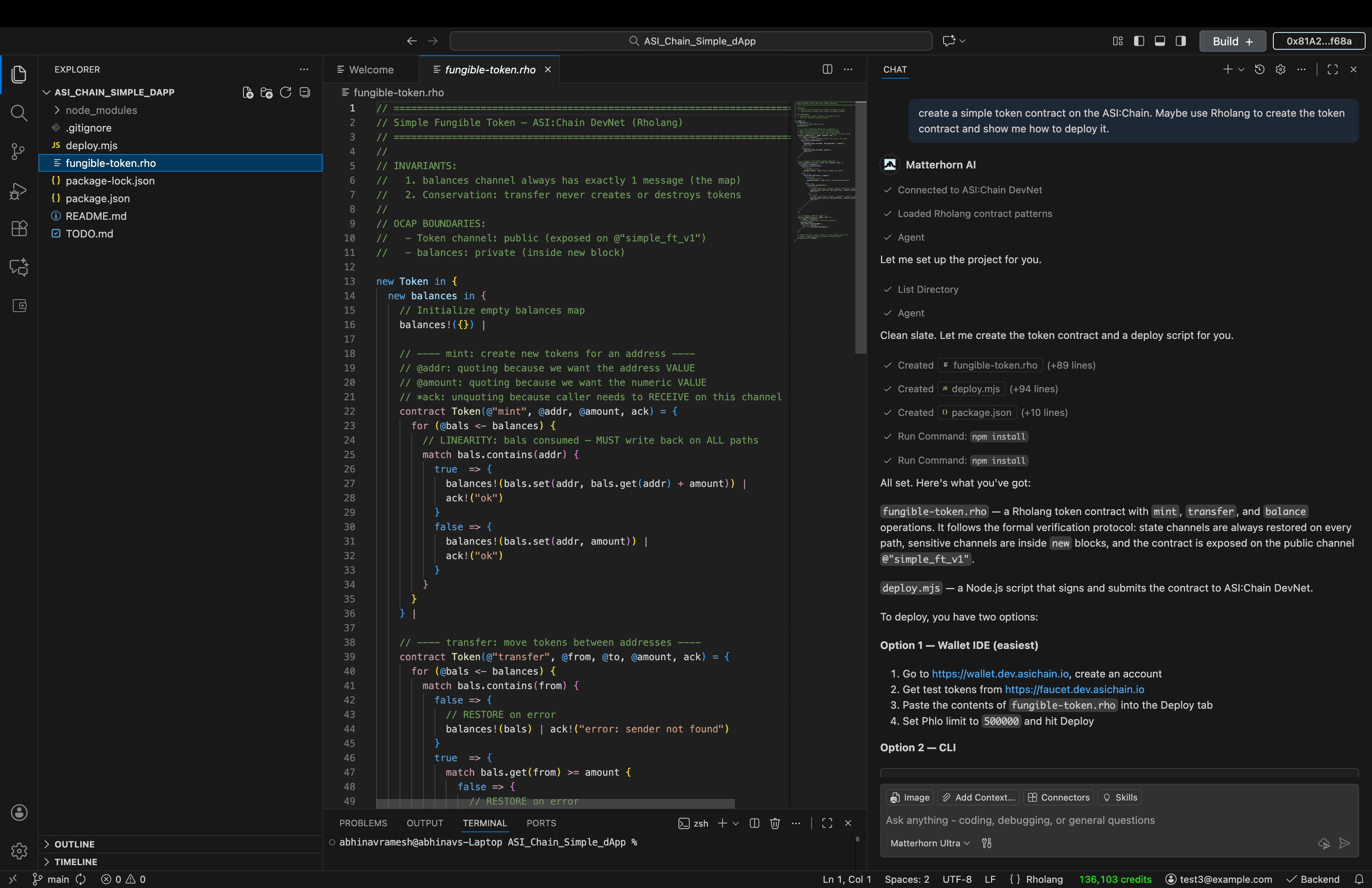
When you deploy from Matterhorn, three things happen at once — and you don't have to wire any of it up yourself:
Smart contracts
Pushed to every chain you selected. The agent confirms each deployment and shows you the addresses.
Frontend & API
Your web app is built and hosted on decentralized compute providers — production-ready, with a live URL.
Storage
Files, images, and user data are pinned to decentralized storage, so they stay available without a single point of failure.
All three layers are billed through your single Matterhorn subscription — no separate accounts to manage, no surprise invoices from five different providers.
7. Agent wallets, MCPs & connectors
A lot of Web3 apps need to act on their own — pay other services, call APIs, move funds between chains, plug into existing tools. Matterhorn ships with three primitives that make this straightforward.
Agent wallets
Every AI agent in your app gets its own wallet. You set spending limits and the chains it can touch, and the agent can transact on its own — paying for compute, sending tokens, or coordinating with other agents — without ever touching your main wallet.
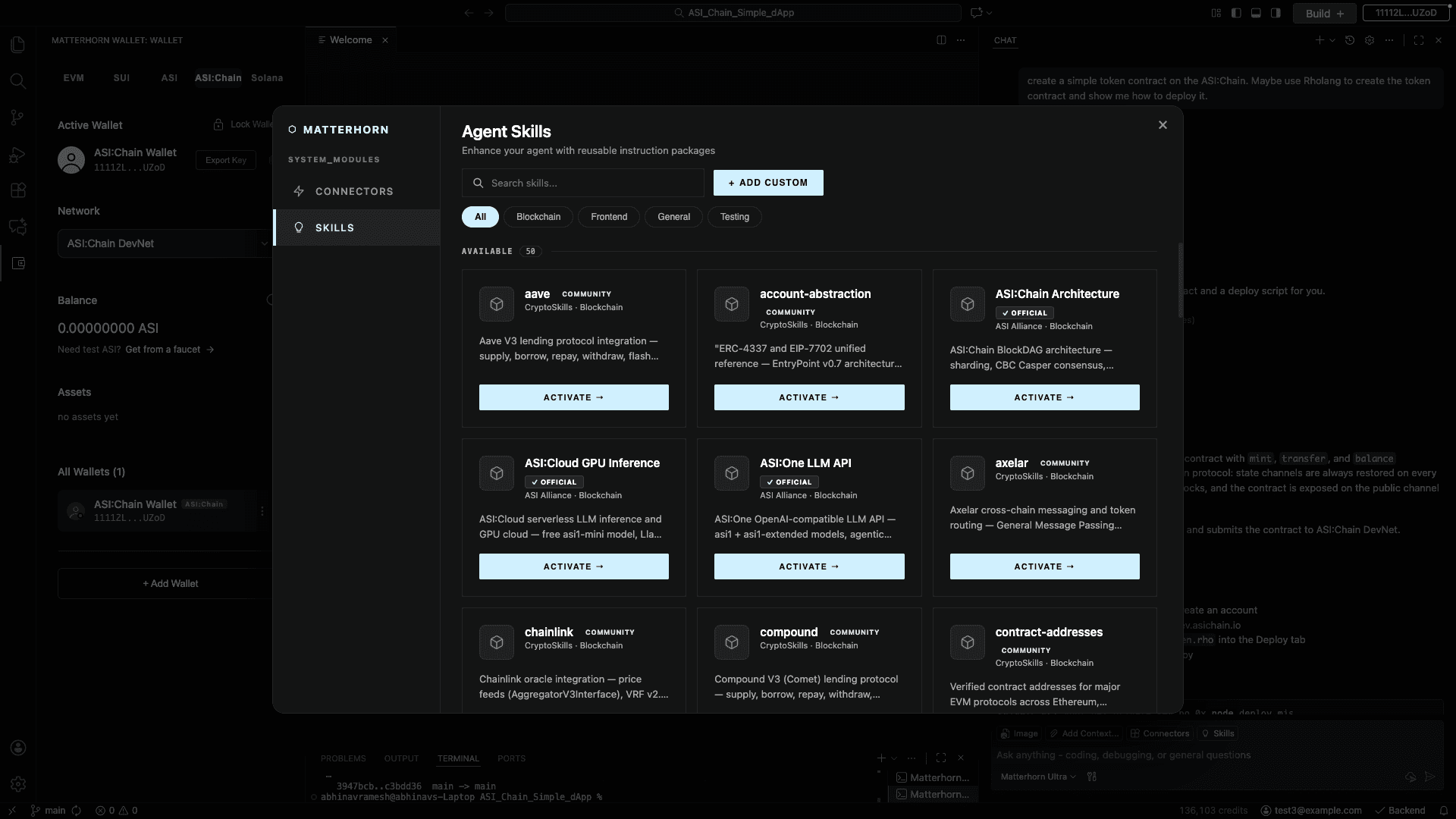
Skills (100+)
Skills are reusable building blocks — “mint an NFT,” “swap on a DEX,” “run a token sale,” “set up a DAO vote.” The agent picks them automatically; you can also browse the registry and request specific ones.
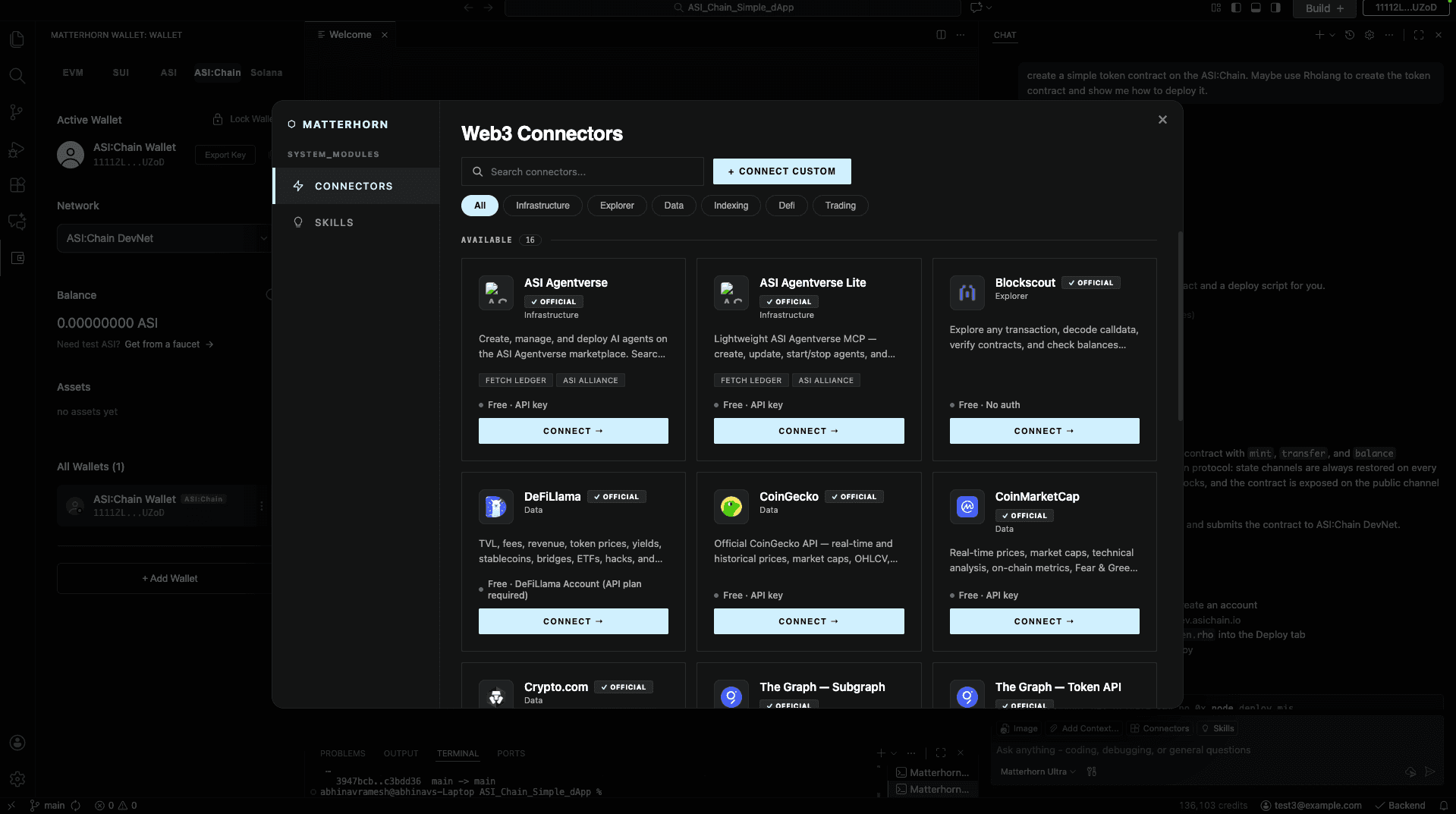
MCPs & connectors (20+)
The practical effect: if you ask the agent to “email me a weekly report of every token sale,” or “file a GitHub issue when an audit fails,” it just works. No glue code required.
8. Choosing your AI models
Matterhorn isn't locked to one AI model. Different jobs benefit from different models, and you can choose which ones power your workflow.
- Default models are tuned for speed and quality across general code generation.
- Specialised models kick in automatically for smart contract generation, security auditing, and formal-verification languages.
- Privacy-preserving models are available for users who can't send their prompts or code to third-party providers — useful for regulated industries or sensitive IP.
Switch models from the Settings panel, or override per-task in the agent panel by saying, for example, “use a privacy model for this”.
9. Rewards & free transactions
Matterhorn is built so that builders are rewarded for shipping, not just for trying.
First 10,000 transactions free
Every new project on Matterhorn gets its first 10,000 transactions sponsored — across deployment, testing, and live usage. You can ship and validate without paying gas fees up front.
Build-to-earn
Deploying on partner chains and protocols can earn you rewards directly inside the IDE. The agent surfaces eligible programs when they apply to your app.
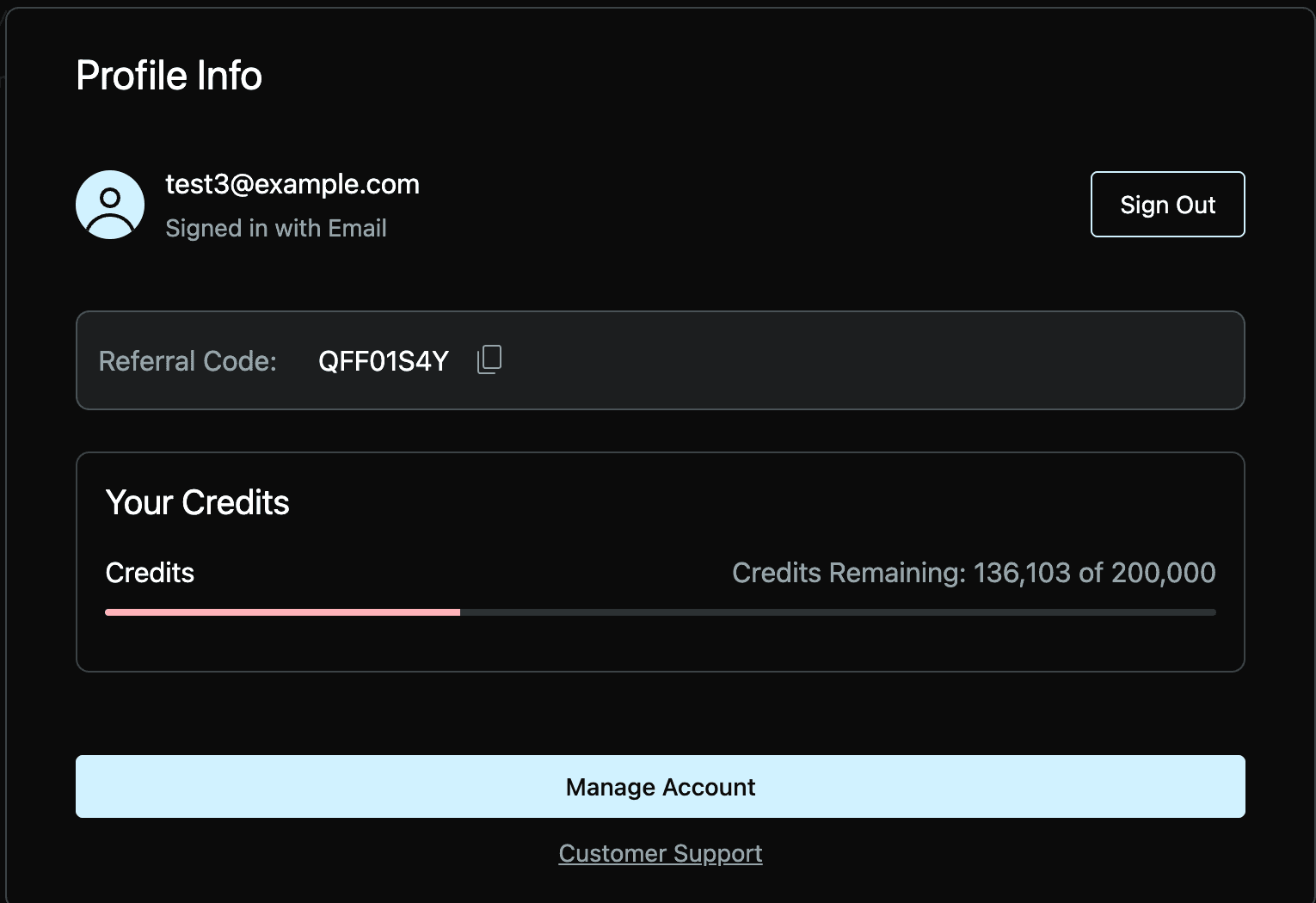
Track your usage, sponsored transactions, and earned rewards from the points dashboard.
10. FAQ & troubleshooting
Do I need to know how to code?
No. Matterhorn is designed so that you can describe what you want in plain English. You'll see the generated code, but you don't need to write or read it to ship something working.
Do I need to buy crypto first?
Not for your first project. The first 10,000 transactions are sponsored, which covers most builders well past their initial launch. After that you can fund your wallet from any exchange.
What if I lose my recovery phrase?
Your wallet is self-custodial, which means we genuinely cannot recover it. Store the 12-word phrase offline — on paper, in a safe, or in a hardware password manager. Never type it into a website.
Can I move an existing project into Matterhorn?
Yes. The IDE is a fork of a familiar editor, so opening an existing repo works exactly as you'd expect. The agent can read your existing code and help you extend, audit, or migrate it.
What if the agent gets something wrong?
Tell it. Matterhorn is conversational — say “that's wrong because…” and the agent will revise. For smart contract issues specifically, run a Vibe Audit; the security-focused model is tuned to catch problems the general agent might miss.
Is my code private?
Your project files stay on your machine and on the infrastructure you choose. If you're working with sensitive IP or regulated data, switch to a privacy-preserving model so prompts never leave a private inference path.
Where do I get help?
From inside the IDE: open the agent panel and ask. For Web3 and Matterhorn-specific topics, check the Docs overview and blog. For editor mechanics — keyboard shortcuts, the terminal, source control, extensions — Matterhorn is a VS Code fork, so the VS Code documentation applies directly. For account or billing issues, use the support link in your account.
Ready to build?
Join the beta and ship your first dApp this week. Your first 10,000 transactions are on us.